
What a club will need to do to use the Direct Debits with DotGolf
- Contact the clubs bank to get the Direct debit forms to give out to the members what want to pay their subs by direct Debits.
- Once forms have been completed, the forms will need to be returned to the club’s bank
- Set up Direct Debit Deposit Account details in DotGolf
Clubhouse -> Settings -> Invoice & Accounting System Settings
Scroll down to the Accounting System Integration area and under the Direct Debit Deposit Accounts, click Change & set the back account number the DDs are to be deposited in to.

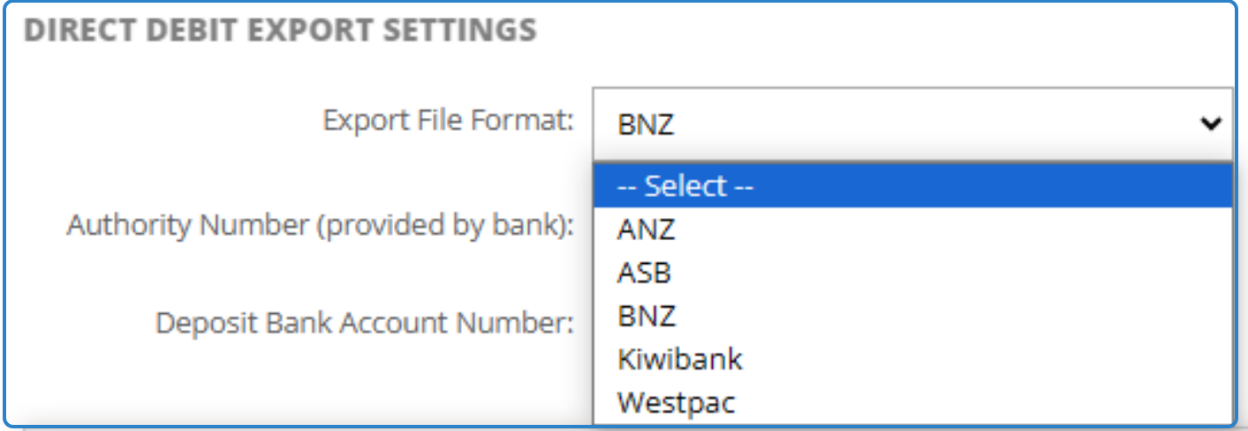
- Direct Debit Export Settings
Pending on the bank the club is with the club may need to get their Registration ID/ Authority Number and this is provided by the club’s bank.
ASB - Registration ID (provided by ASB MSL)
BNZ / Kiwi Bank - Authority Number (provided by bank)
If you have this or once you have this, In DotGolf go to Clubhouse -> Settings -> Invoice & Accounting System Settings and add the required details based on the club’s bank.
This can be set by selecting the back under the Export File Format,
Once the club is set up for the Direct Debit’s the club will then need to set their members up as DD payees.