
In the Kounta settings, the POS Categories that display on the DotGolf Point of Sale can be updated.
This includes the Favorites Category.
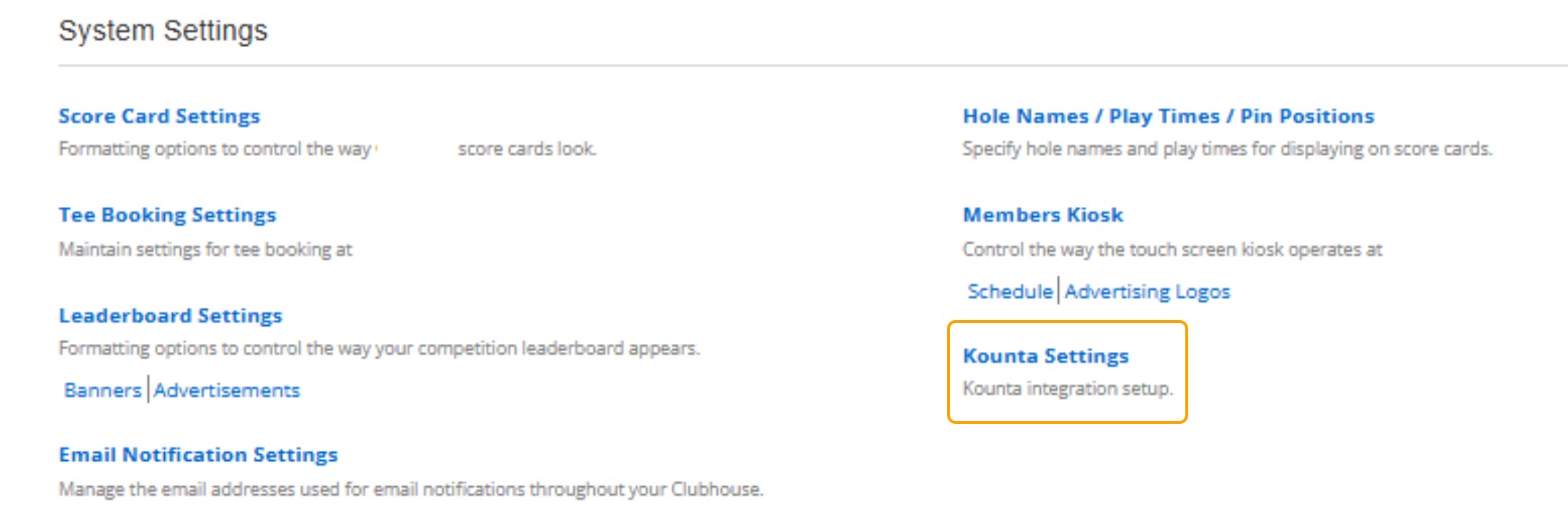
The Kounta Settings can be found under the System Settings in Clubhouse.
To access the POS Categories, scroll down to the POS Categories area
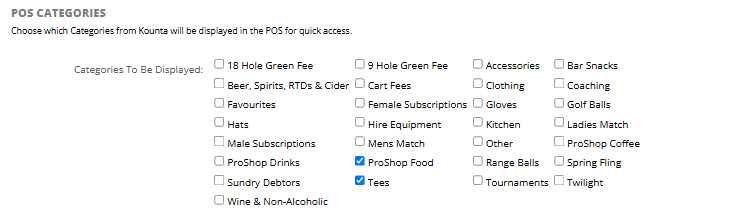
1. The Categories that are displayed are the Categories that have been sent up in Kounta.
To create new Product Categories through Kounta, please refer to the following article:
- Adding a POS Category in Kounta
- Adding a POS Category to a New Product in Kounta
- Adding a POS Category to an Existing Product in Kounta
2. If the new category does not appear as an option to select, please let DotGolf know so we can sync the categories in the backend.
3. Using the tick boxes next to each category, select the categories that you want to display.
4. Select "Save Categories".
Update Favourite Category in DG POS
1. Using the dropdown next to the "Favourite Category" find the Category that you wish to have displayed as the favourite category.

2. Select "Save Categories"