
If you need to edit a Tee Booking for a player, follow these steps.
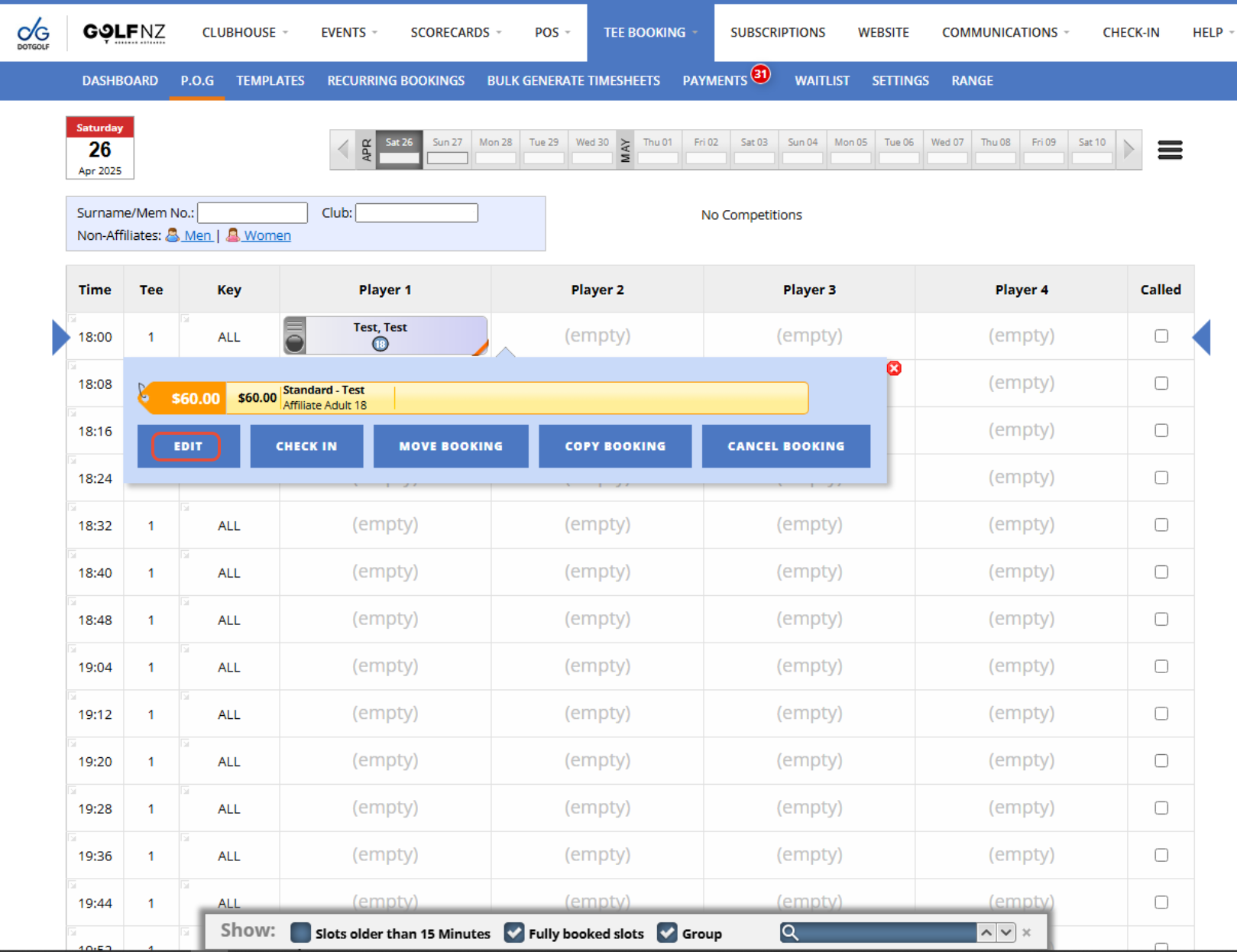
1. From the P.O.G tab, select the day the player is booked in for, then find and select their Tee Time. Now press "Edit".
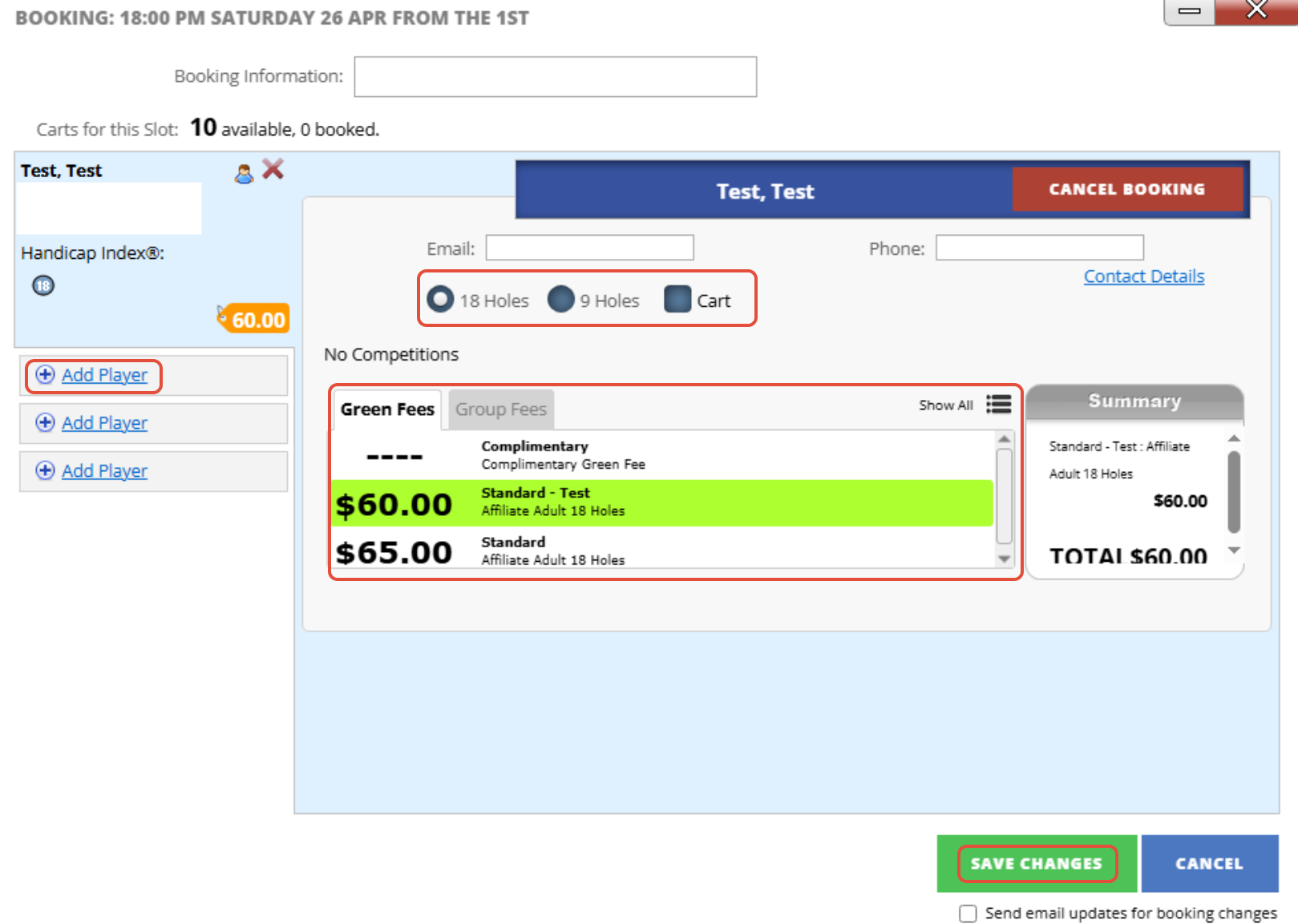
2. Now you can change the players Booking Type, if they are adding a Cart, their Green Fee or if they are adding more players to their booking. Once you are finished press "Save Changes"
3. Now the changes you have made will be applied.