Club Competitions - How to register into a club competition with online payment
Please note this feature is available if your club has this set up on their DotGolf hosted club website
On the club website's Event Calendar page, click Register.
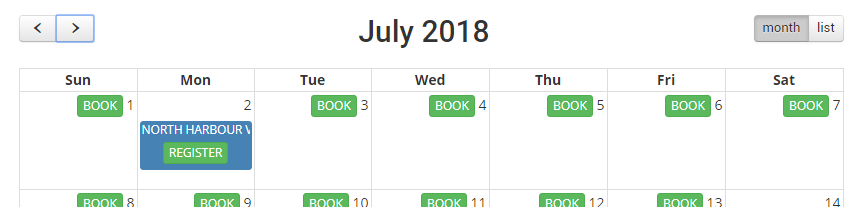
Or click the Register button on the page where the club is promoting the the competition. E.g.
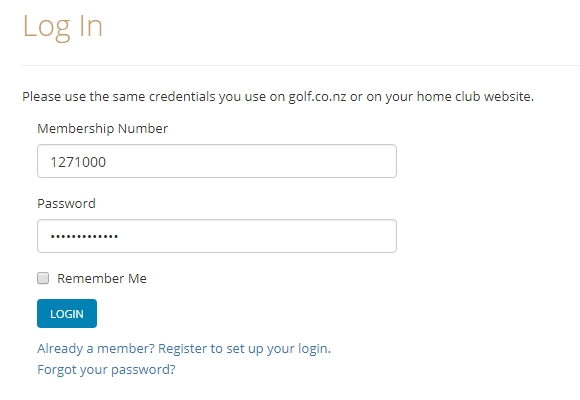
- Enter your membership number and password (same as the one you use to log into golf.co.nz or your club website):
- Click Continue to Checkout
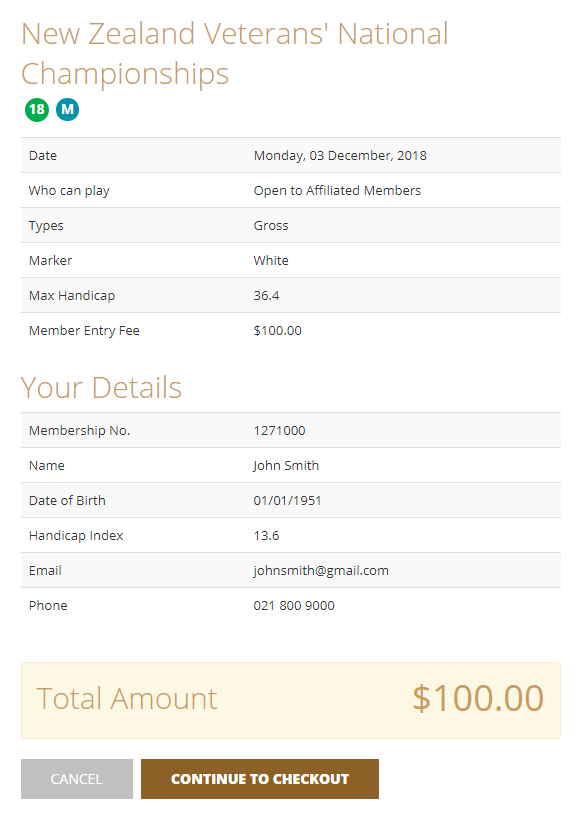
Make sure you're registering into the correct competition. If you're not eligible, a message will display saying, "Sorry you can't register for this competition. Please contact the gold club."
If you're trying to register into a competition you're already registered into, a message will display sayin, "You are already registered for this event. If you would like to cancel, please contact the golf club."
Check the amount to pay. Click Proceed To Pay [$]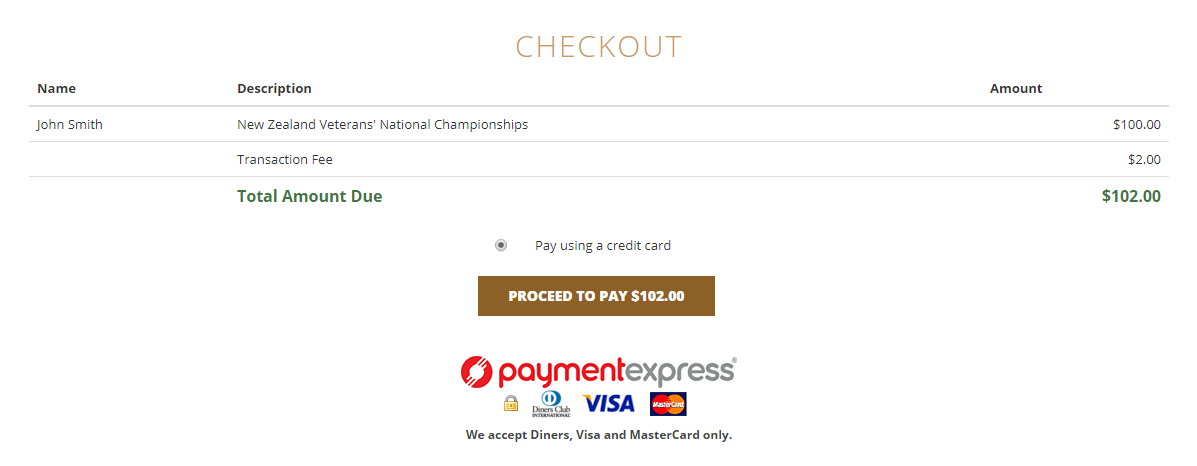
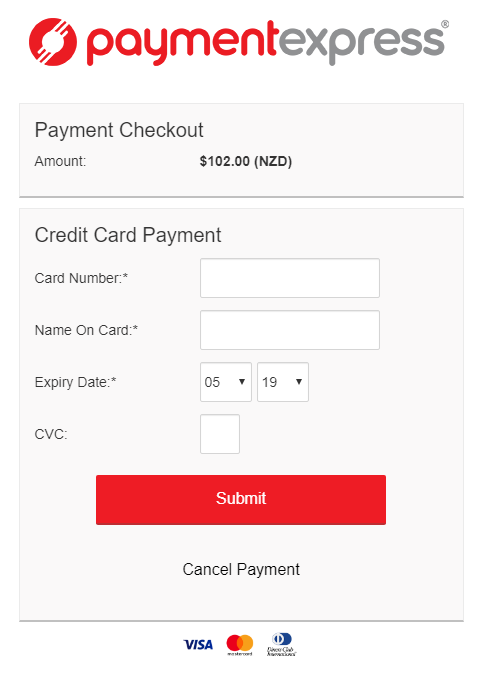
- You will be taken to Payment Express secure site. Fill-out the details and click Submit.
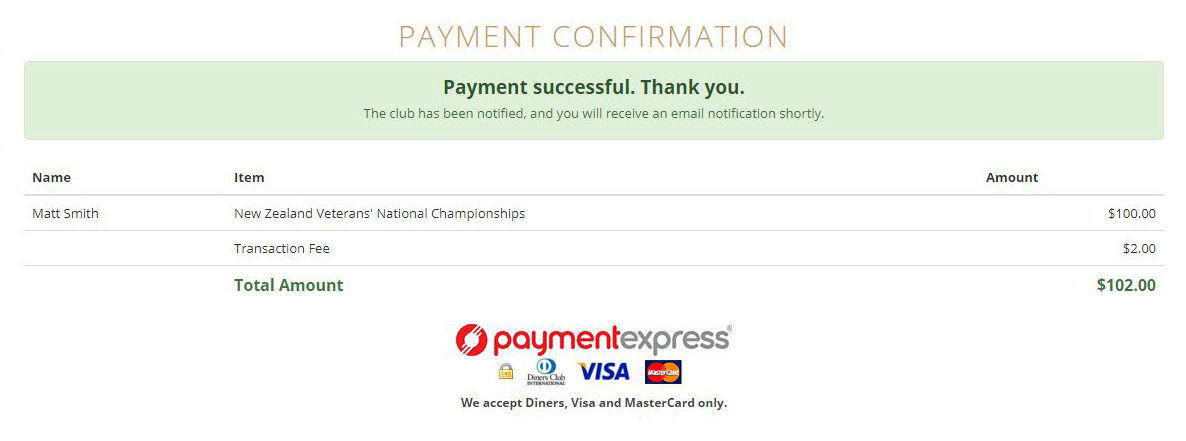
- If the payment is successful, a confirmation will be displayed back on the club website:
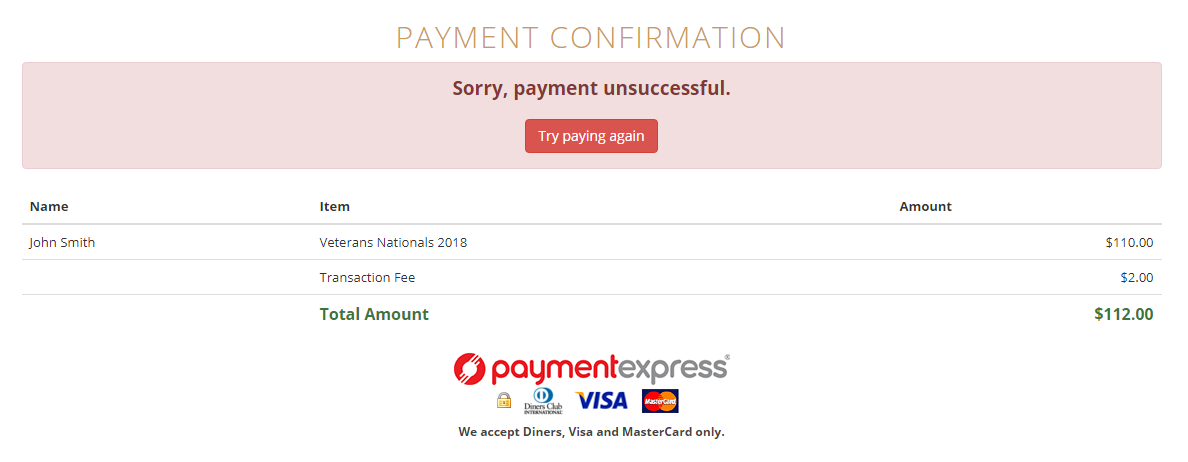
If the payment is unsuccessful, you'll be given an option to pay again. Click Try paying again.