
1. Login to Kounta
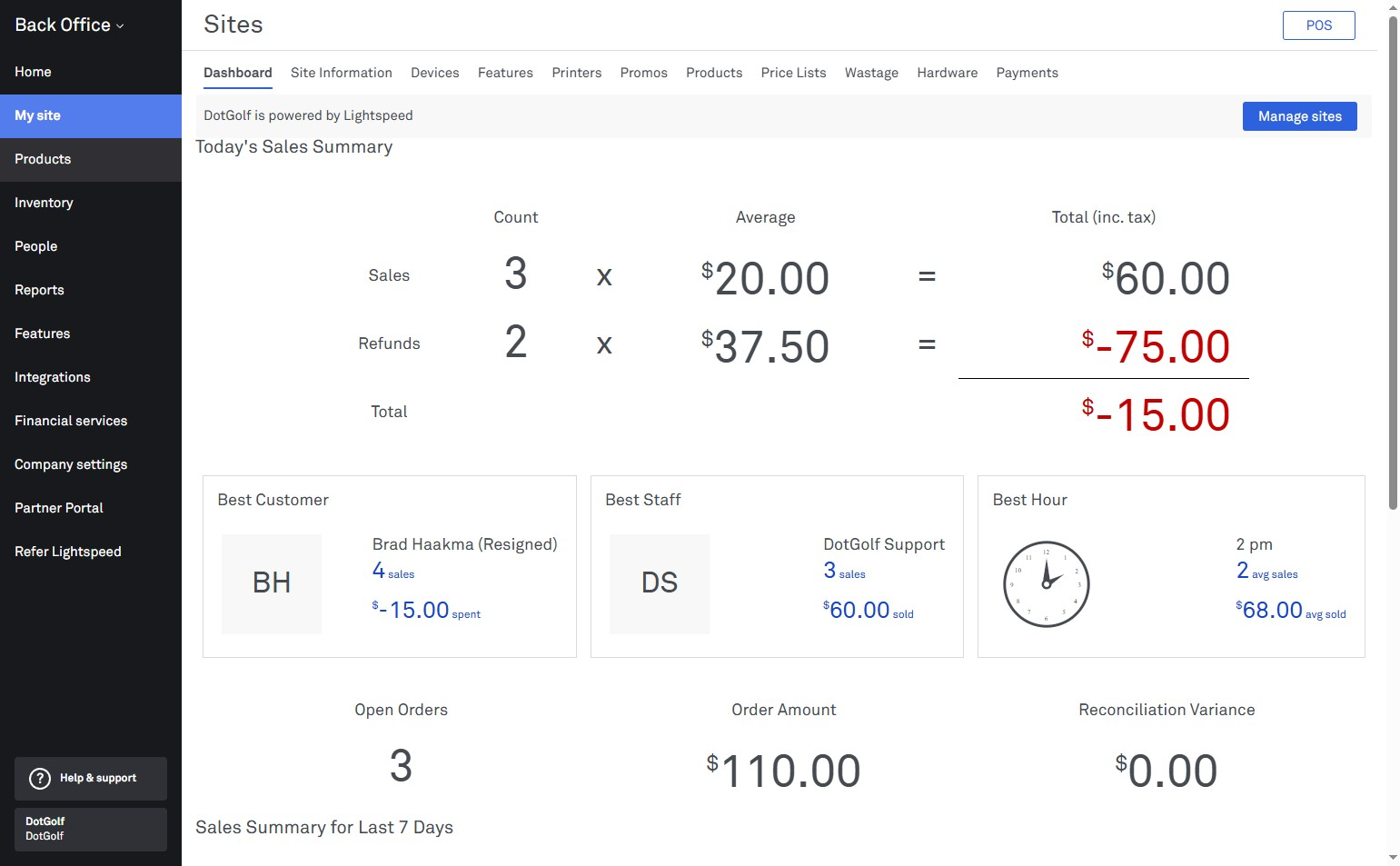
2. Select "Products"
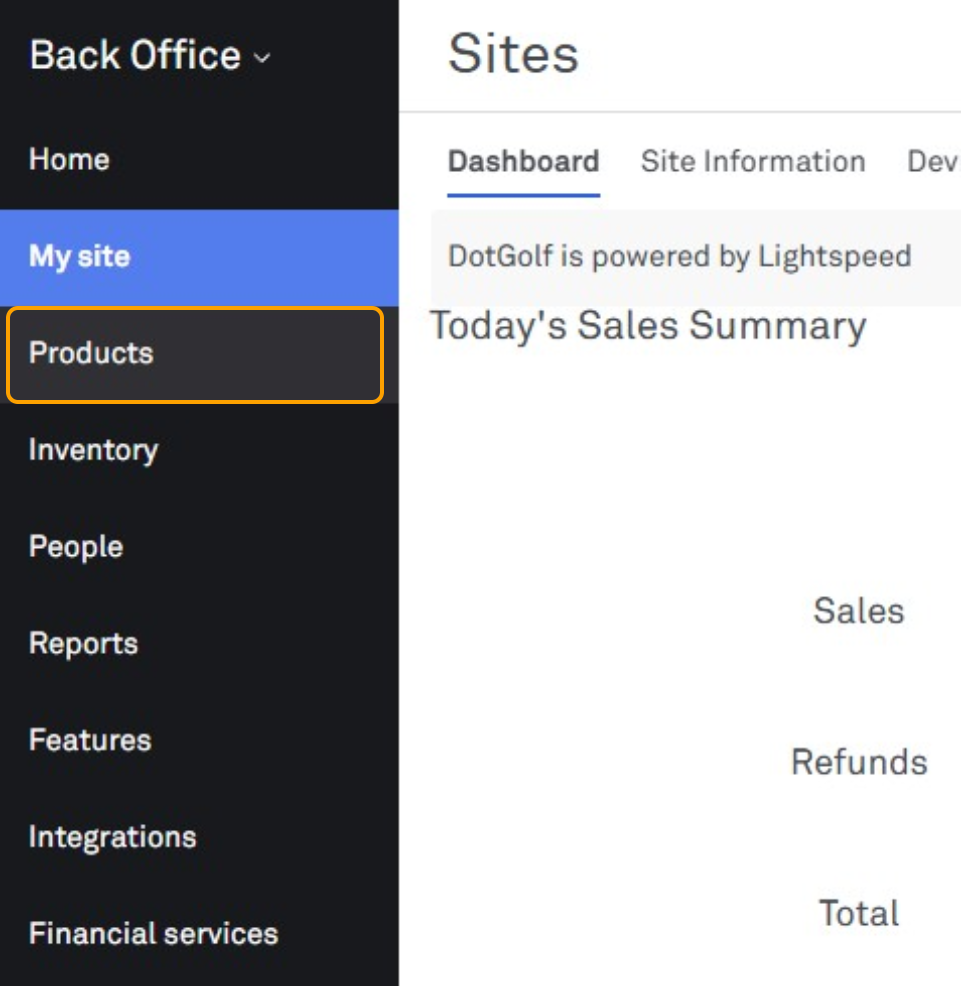
3. Select the blue "Add Products" button
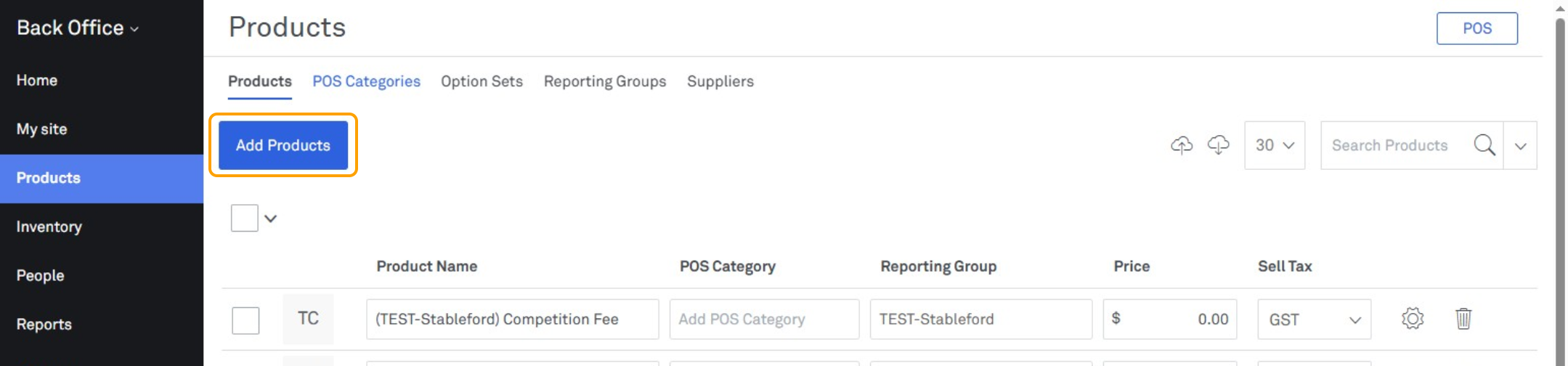
4. Enter in the name of the product
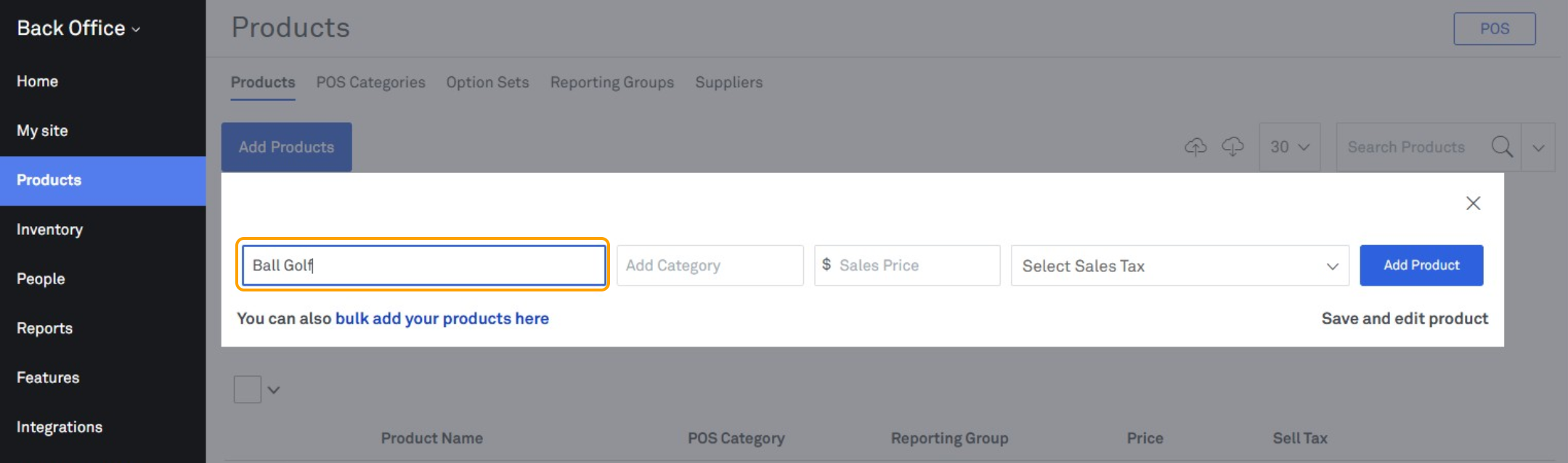
5. Select on the "Add Category" field and select the category that you wish the product be added in to from the drop down
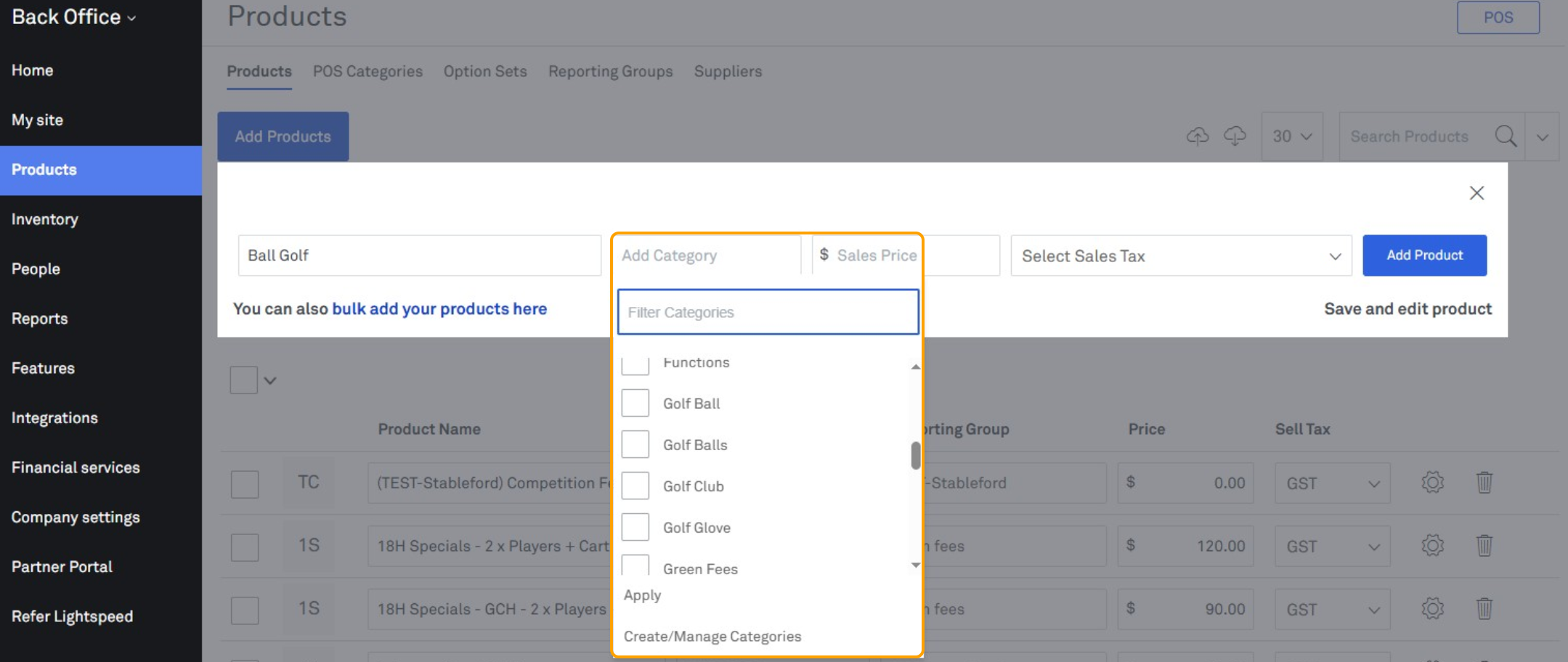
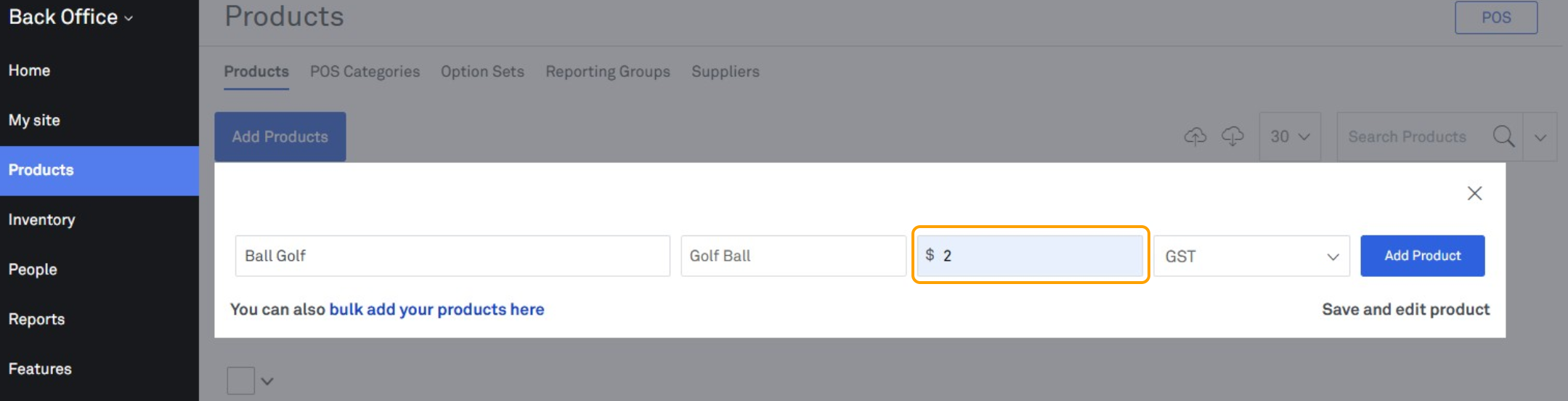
6. In the "Sales Price" field, insert the price that the club will be selling this product at
7. Using the "Sales Tax" drop down, select GST
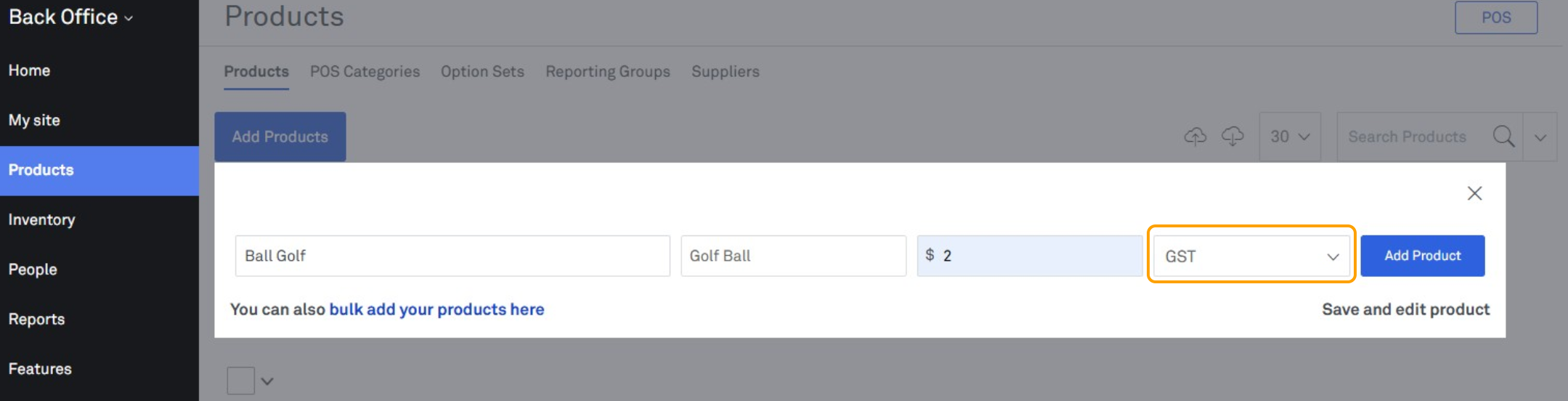
8. Select "Save and Edit Product"
